Study With Me Online: Why Virtual Study Rooms Make It Easier to Start
Study With Me Online: Why Virtual Study Rooms Make It Easier to Start
You know exactly what you need to do.
Your notes are open. The assignment is waiting. Your exam is getting closer.
And somehow, instead of starting, you reorganize your desk, check one notification, open another tab and tell yourself you will begin in five minutes.
Then another 20 minutes disappear.
For many students, the hardest part of studying is not understanding the subject.
It is simply starting.
That is one reason “study with me” sessions and virtual study rooms have become such a popular way to study online.
Instead of sitting alone and trying to create motivation from nothing, you enter a space where other people are already working.
Nobody needs to teach you.
Nobody needs to watch your screen.
Sometimes just knowing that other people are focusing at the same time is enough to make opening that first page feel easier.
So what exactly is a virtual study room, and why can studying alongside strangers online feel so different from studying alone?
Let's look at how it works.
What Does “Study With Me Online” Mean?
A “study with me” session is exactly what it sounds like:
You study while other people study too.
The idea originally became popular through long study videos and livestreams. A student would place a camera on their desk, start a timer and work quietly while viewers studied alongside them.
Virtual study rooms take that idea one step further.
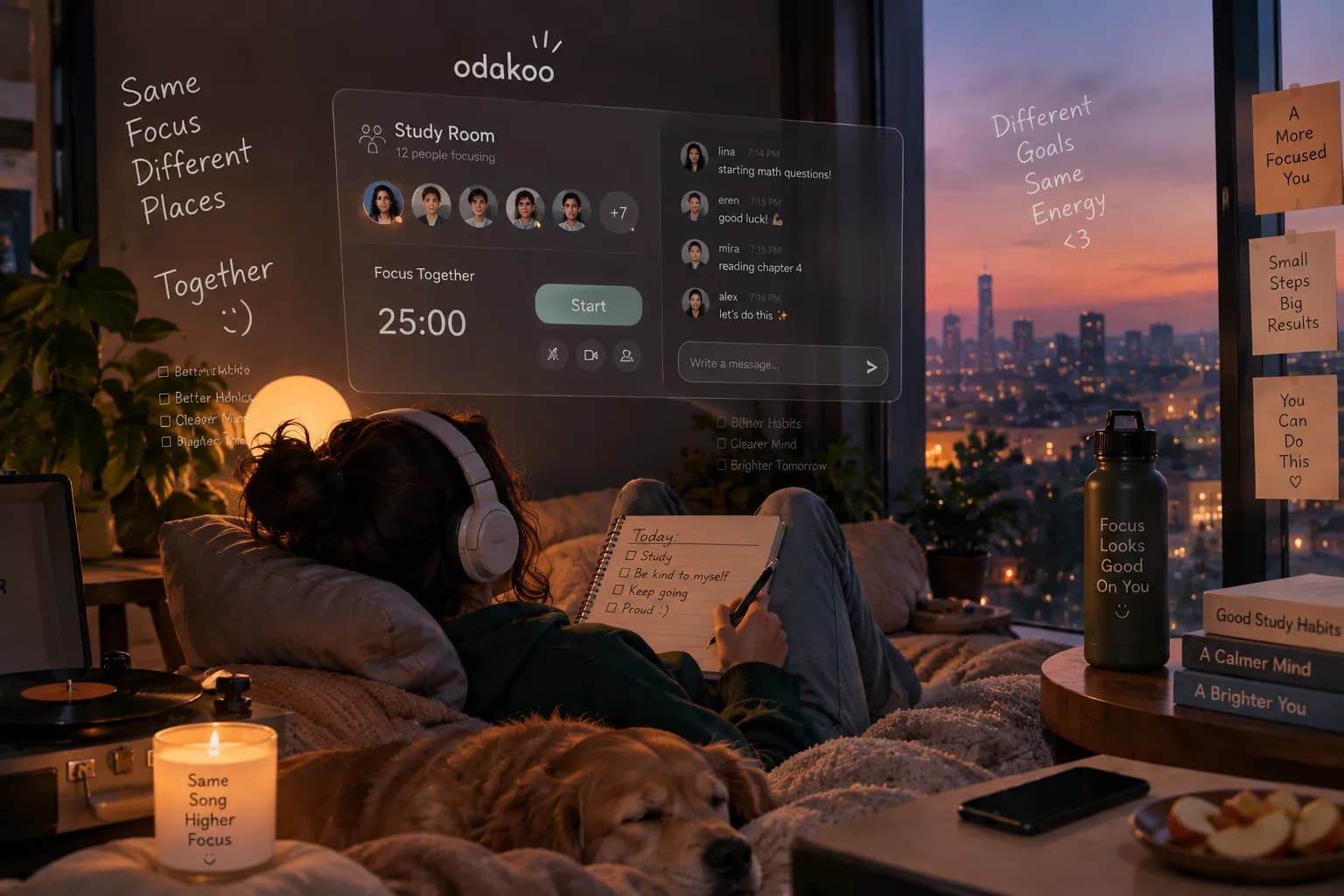
Instead of watching a recorded video, you can join a live online space where other students are actively studying at the same time.
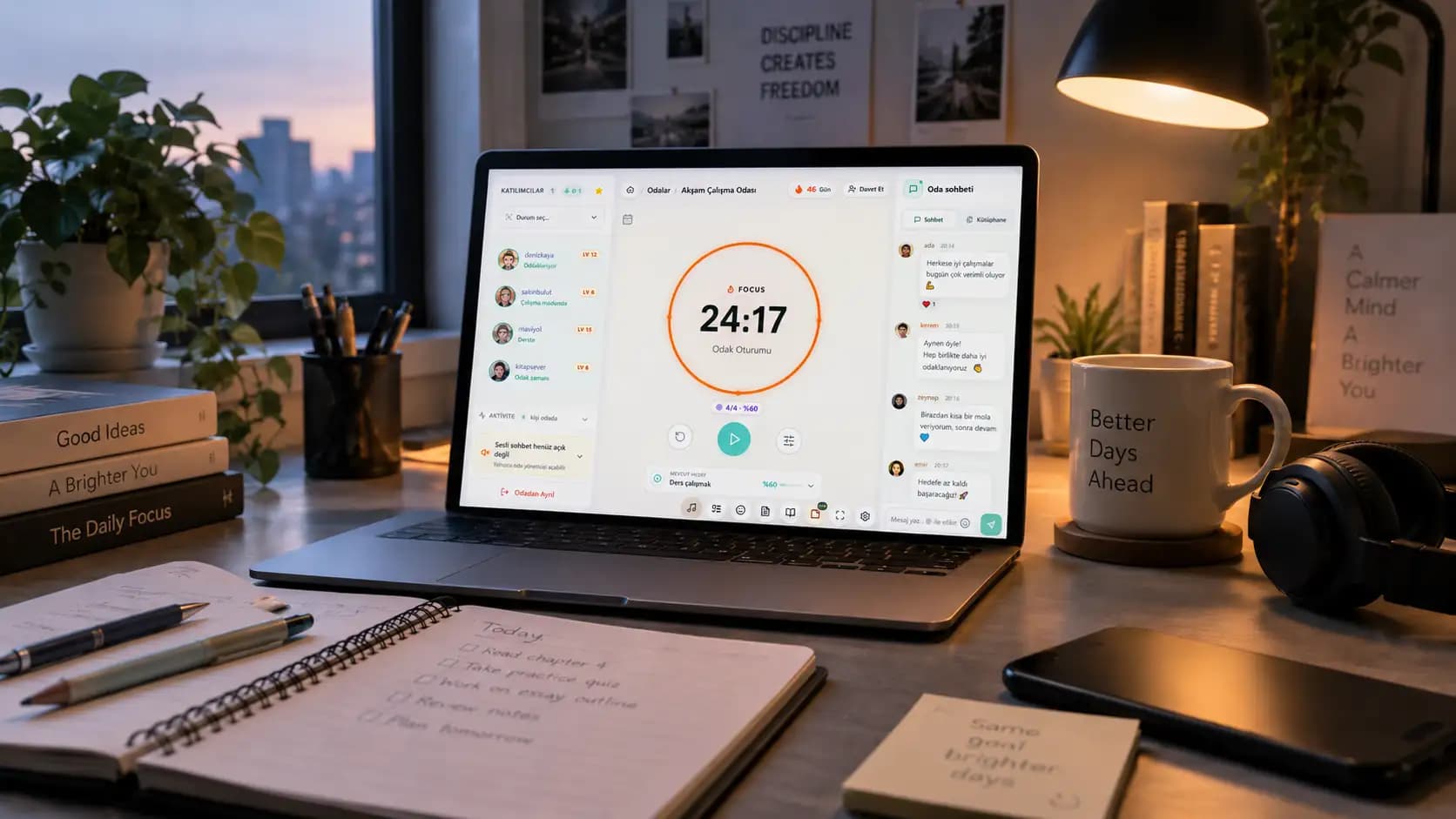
Depending on the platform, a virtual study room may include:
A shared Pomodoro timer
Live participant presence
Study goals
Text chat during breaks
Voice rooms
Screen sharing
Ambient sounds
Progress tracking
Private rooms for friends
The point is not necessarily to socialize.
The point is to create the feeling that:
“We are all here to work right now.”
You can browse Odakoo's live online study rooms, join a public room or create a private study space with friends.
Why Is Starting to Study So Difficult?
A task can be simple and still feel difficult to begin.
Think about the difference between these two situations.
Situation 1
You are alone in your room.
There is no timer.
There is no clear goal.
Your phone is beside you.
You tell yourself:
“I should study tonight.”
Situation 2
You enter a virtual study room.
Ten other people are already studying.
The timer shows:
24:58
You write:
“Finish 15 chemistry questions.”
Then you start.
The actual chemistry questions have not changed.
What changed is the environment around the task.
Starting now has a clear moment.
A clear goal.
And a visible group of people doing exactly what you are trying to do.
That small amount of structure can remove a surprising amount of friction.
Virtual Study Rooms Give Studying a Starting Line
One of the biggest problems with studying alone is that there is often no clear beginning.
You might say:
“I will study after dinner.”
Then:
“I'll start at 7.”
It becomes 7:12.
So you decide to start at 7:30.
Then 8:00 feels cleaner.
Eventually, half the evening is gone.
A virtual study room gives the session a starting line.
You enter.
You choose what you are going to work on.
The focus session begins.
That is much more concrete than:
“I should probably study sometime tonight.”
If you prefer studying alone but still want this structure, a simple online Pomodoro timer can create the same clear starting point.
You Are Studying Alone, But You Do Not Feel Alone
There is an important difference between group study and studying together.
Traditional group study often includes discussion.
Someone asks a question.
Someone explains a concept.
Someone gets distracted.
A 10-minute conversation becomes 40 minutes.
Virtual study rooms can work differently.
Everyone may be studying a completely different subject.
One person is solving calculus problems.
Another is reading history.
Someone else is writing a university essay.
Nobody needs to interact.
You are doing your own work.
But you can still see that other people are working too.
That creates a useful middle ground:
independent work without complete isolation.
For students who find silent solo study difficult, that shared presence can make the desk feel a little less empty.
Online Study Rooms Can Create Gentle Accountability
Imagine joining a room and writing:
“Goal: finish chapter 6 notes.”
You have now turned a vague intention into something visible.
You do not need someone to punish you if you fail.
The simple act of writing the goal can make the session feel more real.
There is also a subtle effect when you see other people continuing to study.
You reach for your phone.
Then you notice everyone else is still in focus mode.
You put it back down.
Not because someone told you to.
Because the environment reminds you what you came there to do.
This is sometimes described as body doubling: doing a task while another person is present, even when that person is working on something completely different.
A virtual study room is essentially a digital version of sitting next to someone in a library.
The Library Effect, Without Going to the Library
Libraries are powerful study environments for a simple reason.
Almost everyone around you is doing something productive.
You walk in.
You see notebooks, laptops and textbooks.
People are reading.
Typing.
Taking notes.
Your brain quickly understands the context:
This is a place for work.
But going to a physical library is not always convenient.
Maybe it is late.
Maybe the nearest library is far away.
Maybe you only have 45 minutes.
Maybe you simply study better at home.
A virtual study room can recreate part of that environment without requiring you to leave your desk.
Open the room.
Choose your task.
Start.
The location does not change.
The context does.
Why Pomodoro and Virtual Study Rooms Work Well Together
Many online study rooms use some version of the Pomodoro method.
A common starting rhythm is:
25 minutes focus
5 minutes break
Then repeat.
Longer sessions might use:
50 minutes focus
10 minutes break
There is nothing magical about those exact numbers.
What matters is that your study time has boundaries.
Instead of thinking:
“I have to study biology all night.”
you only need to think:
“I am doing biology until this timer ends.”
That feels smaller.
And smaller tasks are usually easier to begin.
If 25 minutes feels too short, use a longer block.
If you are struggling to start, even 15 or 20 minutes can work.
The goal is not to survive the longest possible study session.
The goal is to create a rhythm you can return to.
What Should You Do Before Joining a Study Room?
Do not enter with the goal:
“Study.”
That is too vague.
Decide what will actually happen during the session.
For example:
Bad goal:
Study math
Better goal:
Solve questions 1–20 from algebra worksheet
Bad goal:
Work on essay
Better goal:
Write the first 300 words of the introduction
Bad goal:
Study biology
Better goal:
Review cell division notes and create 15 flashcards
Specific goals make the session easier because you do not have to decide what to do after the timer starts.
The decision has already been made.
A Simple 90-Minute Study With Me Session
You do not need an extreme productivity routine.
Try this.
Before starting — 2 minutes
Choose one main goal.
Put your phone out of reach.
Open only the material you need.
Focus Session 1 — 25 minutes
Work on the first part of the task.
No messages.
No social media.
No changing subjects.
Break — 5 minutes
Stand up.
Drink water.
Look away from the screen.
Try not to open short-form video apps.
Five minutes can disappear very quickly there.
Focus Session 2 — 25 minutes
Continue the task or move to the next clear step.
Break — 5 minutes
Reset.
Focus Session 3 — 25 minutes
Finish the task or review what you completed.
At the end, write one sentence:
“Next time I will continue from…”
That sentence makes tomorrow's study session easier to begin.
Study With Me vs. Studying With Friends
They are not the same thing.
Studying with friends can be great when you need to:
Explain difficult concepts
Quiz each other
Compare notes
Prepare for a presentation
Solve a problem together
But it can also become social very quickly.
A virtual focus room is better when your goal is:
“We are together, but everyone needs to get their own work done.”
You can even create a private room with friends and agree on a simple rule:
During focus time, everyone works.
During the break, everyone talks.
That separation can prevent a study session from turning into a two-hour conversation with textbooks open in the background.
Study With Me Videos vs. Live Virtual Study Rooms
Both can work.
But they solve slightly different problems.
Study With Me Videos
Good if you want:
Zero interaction
Background presence
A specific aesthetic
A prerecorded timer
Something you can start instantly
Live Virtual Study Rooms
Good if you want:
Real people studying right now
A stronger sense of shared presence
Public or private rooms
Goals and progress
The option to interact during breaks
A recorded study video says:
“Someone studied here before.”
A live room says:
“People are studying with you right now.”
For some students, that difference matters.
What If Seeing Other People Distracts You?
Then simplify the environment.
Virtual study rooms are a tool, not a requirement.
If you keep checking usernames, chat messages or what other people are doing, the room may be creating more distraction than accountability.
Try:
Muting unnecessary notifications
Avoiding chat during focus periods
Using fullscreen mode
Choosing quieter rooms
Keeping your camera off if the platform allows it
Using only the shared timer
Or simply return to a solo timer.
The best productivity system is not the most social one.
It is the one that helps you do the work.
Should You Turn Your Camera On?
Not necessarily.
Different virtual study platforms use different formats.
Some are built around video.
Others only show usernames, avatars or activity status.
Both approaches can work.
If having a camera on makes you uncomfortable or makes you think more about how you look than what you are studying, you do not need it.
The useful part is not being watched.
It is creating a clear environment for focused work.
Choose the level of social presence that helps you concentrate rather than making you self-conscious.
Virtual Study Rooms Are Especially Useful on Low-Motivation Days
When motivation is high, studying is easy.
You have a new notebook.
A new semester.
A big exam goal.
You feel ready.
The real test comes three weeks later.
It is Wednesday.
You are tired.
The weather is terrible.
Your assignment is boring.
You do not feel productive.
Those are the days when a routine matters most.
Instead of waiting to feel motivated, you can use a much smaller instruction:
Join the room.
That is it.
Do not promise yourself three hours.
Do not create a new study schedule.
Enter the room.
Write one goal.
Start one timer.
After the first session, decide whether you want to continue.
Very often, starting is the part that required the most effort.
Do Virtual Study Rooms Actually Make You More Productive?
Not automatically.
Joining a study room while scrolling through your phone will not magically improve your grades.
The room cannot do the studying for you.
What it can do is make several useful behaviors easier:
Defining when studying begins
Creating a specific goal
Working in timed blocks
Seeing others stay on task
Making progress visible
Returning after breaks
Building a repeated study ritual
Think of the room as an environment.
A good library does not make you learn calculus automatically either.
But it can make sitting down and doing calculus easier.
How to Make Virtual Study Rooms Part of a Routine
Do not only use them the night before an exam.
Connect the room to a repeatable trigger.
For example:
After school → eat → rest → join study room at 6 PM
or:
After dinner → one 50-minute virtual study session
or:
Saturday morning → coffee → two Pomodoro sessions
The exact time does not matter as much as repetition.
After a while, opening the study room itself can become a signal:
It is time to focus.
You can also use Odakoo's focus tools to combine study rooms with tasks, daily targets, timers and study statistics instead of treating each session as an isolated event.
How to Choose a Good Virtual Study Room
The busiest room is not always the best room.
Look for an environment that matches how you want to work.
Ask:
Is the room quiet during focus time?
Does it use a timer I like?
Is chat distracting or useful?
Do I want a large public room or a small private room?
Do I want to study with strangers or friends?
Do I prefer 25-minute or longer focus blocks?
The best room is the one you forget about once you begin studying.
The environment should support the task, not become the task.
A Good Study Room Should Help You Leave
That sounds strange, but it matters.
The goal of a productivity tool should not be to keep you inside it forever.
When your study session ends, you should be able to say:
I finished what I came here to do.
Then close the laptop.
Take your break.
Go outside.
Watch something.
Talk to friends.
Rest.
Productivity is not about spending your entire day inside a focus app.
A good system helps you protect focused time so the rest of your day does not have to feel guilty.
Try One Session, Not a New Life
If you have been procrastinating, do not turn this article into another thing you read instead of studying.
You do not need a new morning routine.
You do not need a perfect desk.
You do not need six productivity apps.
You do not even need to feel motivated.
Choose one task.
Join a live online study room or open the free Pomodoro timer.
Set 25 minutes.
And start.
You can figure out the rest after the timer ends.
Frequently Asked Questions
What is a virtual study room?
A virtual study room is an online space where people work or study at the same time. Rooms may include focus timers, participant presence, goals, chat, ambient sounds and other productivity tools.
Can I study with strangers online?
Yes. Many platforms offer public study rooms where students work independently alongside other users. Always check the platform's privacy settings and room rules before joining.
Are virtual study rooms free?
Some platforms provide free rooms or free core features, while others require subscriptions for certain features. On Odakoo, you can browse study rooms and use the solo Pomodoro timer for free; an account is required to join rooms and use personalized features.
Do I need my camera on for Study With Me sessions?
No. It depends on the platform. Some virtual study spaces use video, while others rely on avatars, usernames or participant status.
Is studying online with others better than studying alone?
Neither is universally better. Some students focus best alone, while others find that shared presence and structure make starting easier. Try both and keep the environment that helps you work with fewer distractions.
What is the best Pomodoro time for virtual study rooms?
25 minutes of focus followed by a 5-minute break is a common starting point. For longer reading, writing or problem-solving sessions, you may prefer 50/10 or a custom interval.
How do I start a Study With Me session?
Choose one specific task, remove obvious distractions, join a virtual room or start a timer, and commit to one focus block. If you are new to Odakoo, the getting-started guide explains the full flow step by step.
Final Thought
Sometimes procrastination is not a motivation problem.
It is a starting problem.
When the beginning feels vague, we keep postponing it.
Virtual study rooms make that moment more concrete.
There is a room.
There is a timer.
There are other people working.
And there is one task in front of you.
You still have to do the work.
But you no longer have to create the entire feeling of “study time” by yourself.
Sometimes that is enough.
One room.
One task.
One focus session.
Start there.